I Built My Own Cloud for $55
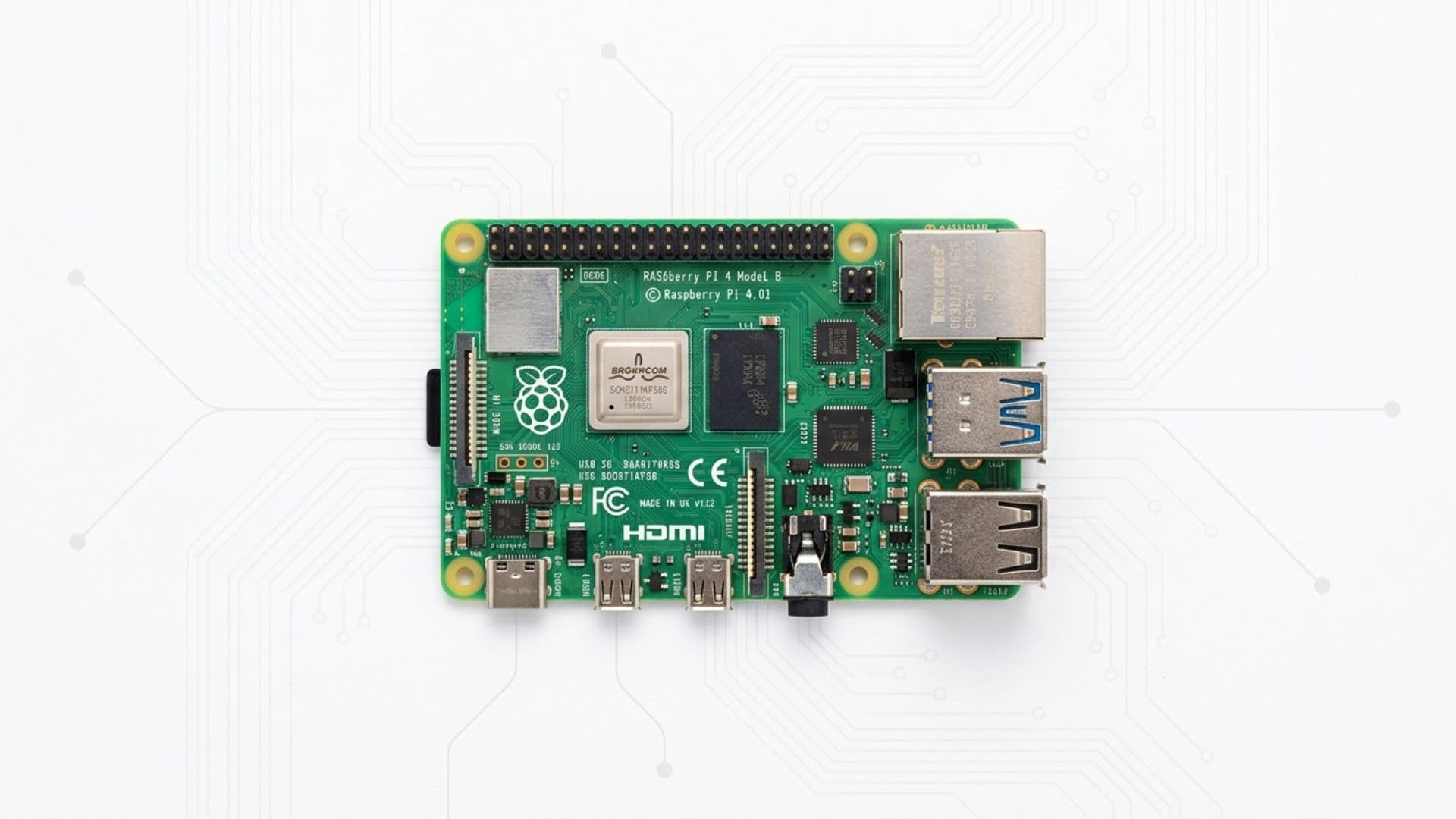
For a long time, cloud computing felt like infrastructure that lived somewhere else.
Vercel. Supabase. AWS. Someone else's servers, someone else's problem. You pay the monthly bill, the thing runs, you move on.
That was fine. More than fine, actually. Those tools are incredible and I still use most of them.
But the more I built with them, the more a question kept surfacing.
What actually is the cloud?
Not the marketing version. Not the abstraction. The actual, physical, mechanical answer.
What the Cloud Actually Is
I started pulling on that thread a few months ago.
I was deep into building automations on n8n. Workflows running on a schedule, webhooks firing, data moving between services. All of it worked great. But every workflow depended on an always-on server sitting somewhere, processing requests 24 hours a day.
That server was not magic.
It was a computer. Running Linux. Connected to the internet. Powered on.
That is it. That is the whole secret.
The cloud is someone else's hardware with a monthly fee attached.
Once I understood that, the obvious question became: what if the hardware was mine?
Why Hardware
I have always been drawn to the physical layer.
Software runs on hardware. Networks run on cables and radio waves. Automations run on processors that are physically somewhere in the world.
Most developers never think about this. And for good reason. The abstractions are good enough that you rarely have to.
But I wanted to understand it.
Not just conceptually. Hands on.
I wanted to build something where I controlled every layer. The code, the container, the operating system, the hardware itself.
A Raspberry Pi is a $55 credit-card-sized computer that runs Linux. It draws about 5 watts of power. It fits in the palm of your hand.
And it can run everything I needed.
What I Built
I started with the foundation.
Tailscale first. This is the piece most people skip and then regret. Tailscale creates a private network across all your devices. My Mac, my iPhone, and the Pi all live on the same private network no matter where in the world they are. The Pi gets a permanent IP address accessible from anywhere. No port forwarding, no public exposure, no risk.
Everything else sits behind that.
Docker next. Every service runs in its own container. Isolated, restartable, easy to manage. If something breaks you stop the container and start it again. The underlying system is untouched.
Then the services.
n8n for automations. This is the most valuable thing on the Pi. Every workflow I have built runs 24 hours a day, 7 days a week, without me touching it. My morning briefing. Webhook receivers. Scheduled data pulls. All of it fires reliably because the Pi never sleeps. There is no cold start. There is no free tier limit. It just runs.
Home Assistant for the physical world. This is the piece that surprised me most. Home Assistant connects to thousands of smart home devices across every brand. My TP-Link plug is connected. Presence detection is live. When my phone appears on my home WiFi, the apartment responds. That is not a software problem. That is a physical world problem. And a Pi is the only thing that can solve it because a Pi is physically there.
Immich for photos. A self-hosted Google Photos that runs entirely on my hardware. Beautiful UI. Automatic backup from my iPhone. The files never leave my apartment.
Caddy as a reverse proxy. Every service gets a clean URL. No port numbers, no complexity.
What I Learned About Cloud Computing
Building this taught me something I could not have learned any other way.
The cloud is not a category of technology. It is a set of tradeoffs.
You pay for reliability. Redundancy. Scale. Managed uptime. Someone else's ops team handling the hard parts at 3am.
Those are real and valuable things. I am not pretending otherwise.
A Raspberry Pi does not replace the cloud. It does not have redundancy. It does not have global CDN. If your apartment floods, your data is gone. If the power cuts, your server goes down. These are real limitations and anyone building on a Pi needs to understand them clearly.
What it does is take the load off a small, specific set of things.
Always-on automations that would otherwise cost $20 a month on a cloud platform. Smart home control that requires a device physically on your network. Local data that you want to stay local. A private VPN that routes through your own apartment.
For those things, a Pi is not a compromise. It is the right tool.
But for hosting a production app, storing critical data, or anything that needs to be up 99.9% of the time, use the cloud. That is what it is built for.
The Pi wins when something needs to be always on, physically home, or processing a continuous stream of local data. Everything else, the cloud wins.
Why This Is Worth Building
Beyond the practical use cases, there is something more valuable about this project.
It teaches you what infrastructure actually is.
Most developers, myself included until recently, think about infrastructure as a configuration problem. Choose a provider. Set the environment variables. Deploy. Done.
Building on a Pi forces you one level deeper. You are choosing an operating system. Managing containers. Configuring a network. Thinking about what happens when the power goes out.
That knowledge transfers everywhere. When something goes wrong in production, you have a clearer mental model of what is actually happening underneath the abstraction.
If you are a developer who has never touched hardware, this is one of the most valuable weekend projects you can do. Not because you will run your production workloads on it. But because you will understand your production workloads better.
What I Want to Learn Next
I am just getting started with what this hardware can do.
The next layer I want to explore is the radio spectrum. A $15 USB dongle turns the Pi into a Zigbee hub, receiving signals directly from smart devices without any cloud dependency. Add a software-defined radio dongle and you can track aircraft over your city in real time, receive weather satellite imagery directly from orbit, pick up signals from devices on your local network you did not even know were broadcasting.
I want to understand the GPIO layer more deeply. Physical pins on the board that connect directly to hardware. Relays, sensors, motors. The kind of integration that has no cloud equivalent because it requires physical wires connecting to the real world.
And the network layer. The Pi sitting on your home network can see every packet, every device, every request leaving your apartment. That visibility is something no cloud service can give you because it requires being physically present on the network.
I have been a software-first builder my whole career.
This is the first time I have felt the physical layer of computing.
It is different in a way that is hard to describe until you build it yourself.
Start with a Pi. Get one service running. Understand what is actually happening underneath it.
The cloud will make more sense after that.
The full stack: Raspberry Pi 4, Docker, Tailscale, n8n, Home Assistant, Immich, and Caddy.
Total hardware cost: $55 plus a $10 SD card.
Monthly cost to run: less than my morning coffee.